
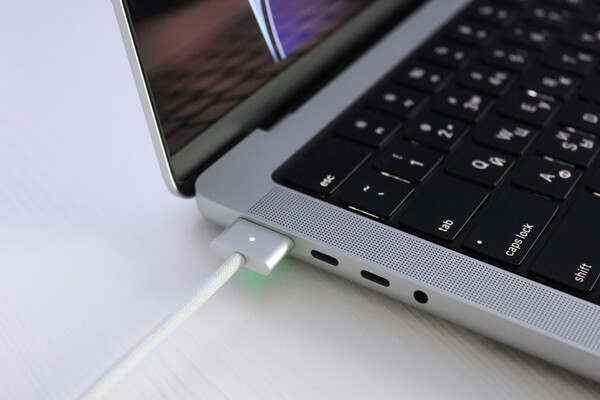
[Digital Today reporter Jinju Hong (홍진주)] MacBooks generally do not see a big impact on battery life even when used while continuously connected to power.
On Oct. 10 (local time), IT media outlet Engadget reported that recent MacBooks use lithium batteries and charging management software to automatically manage battery condition and charging habits.
The key is that they do not keep charging by forcing the battery to 100% at all times. MacBooks adjust how they charge based on temperature history, charging patterns and power fluctuations. They are designed to reduce wear by lowering the maximum charge depending on the environment, so staying plugged in does not directly lead to performance degradation, the outlet explained.
Apple’s battery health management feature for Mac laptops is also enabled by default in line with this trend. The feature is turned on by default on Mac laptops running operating systems after Catalina 10.15.5, which was released in 2019. If a user has turned it off, it can be re-enabled under Battery in System Settings.
In the past, it was generally considered good practice to avoid charging a battery to 100% and keeping it there for a long time, but the situation has changed. That is because the system temporarily pauses charging cycles at optimized times. Engadget reported that using a MacBook while it is charging is now "perfectly OK."
To check battery condition, users can look at "Battery Health" in the Battery menu under System Settings. It is typically shown as "Normal" or "Service Recommended." Performance can decline to some extent over time, but Apple advises that it does not recommend replacement until battery capacity falls below 80%.
There are exceptions. Managing charge level is important when storing a device for a long period. Apple recommends setting the battery to about 50% if it will not be used for an extended time. Apple’s guide says that storing it for a long time while fully charged can reduce battery capacity and shorten usage time.
Heat is cited as a factor that has a bigger impact on actual battery performance. Working outdoors on warm days, or in conditions where device temperature rises during charging, can increase strain on the battery. Charging while the computer is hot can have a negative effect on battery condition. Apple presents the operating temperature range for the MacBook Air as 50 to 95 degrees Fahrenheit.
Accessories can also be a factor. Some cases or laptop stands can hinder heat dissipation while charging. If the device is hot, it is necessary to first check whether the fan is blocked. Engadget pointed to "keeping the battery cool" as one of the easiest ways to make the battery last longer.
In summary, users of recent MacBooks do not need to worry much about battery life itself even if they work with the charging cable plugged in. The key points presented for protecting battery health were to keep charge around half for long-term storage and to manage high-temperature conditions and heat during charging in daily use.
 Jinju Hong
hongjj@d-today.co.kr
Jinju Hong
hongjj@d-today.co.kr