
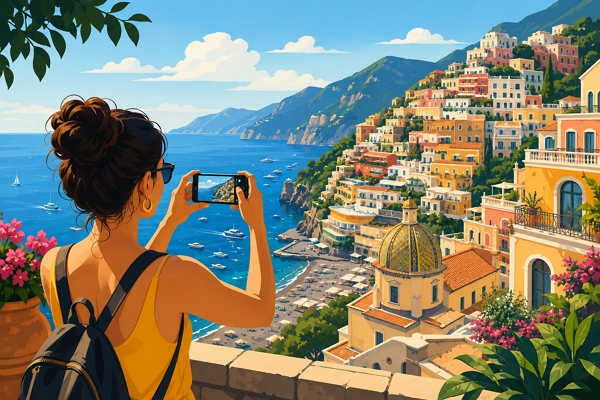
[DigitalToday reporter Jae-won Choi (최재원)] The results of photos shot on a smartphone can become much better with a little attention. Instead of opening the default camera app and shooting right away, using third-party apps and doing simple edits can, depending on conditions, produce results closer to a digital camera. As the saying goes, "the best camera is the camera in your hand" and for most people today, that camera is a smartphone. On Aug. 1 local time, IT outlet The Verge introduced ways to produce results that rival a camera using a smartphone.
In recent years, smartphone camera sensors have grown larger, and their ability to capture light and their resolution have improved. But it is hard to say the results shot with default camera apps have become that much better aesthetically. Some photos can look flatter and duller. That is because smartphone cameras are mainly optimized to convey information. With the focus on clearly showing menus, signs, faces and objects, they lower bright areas and lift dark areas to display as much information as possible in the frame.
Having a lot of information does not make a good photo. The beauty of a photo often comes from depth and contrast. When shadows and highlights are adjusted too much, photos become bland. Smartphones also often apply excessive sharpening and noise reduction to compensate for the limits of small sensors, creating a distinctive smudged look in the process.
Smartphone cameras themselves are not bad. With each passing year, the latest smartphone sensors have advanced to a considerably high level. What matters is how you use the sensor. If you want photos that look good immediately, you can use apps that mimic a film look or Polaroid feel, such as Dazzcam or Hujicam. Apps such as Moment Pro Camera II or Halide also offer natural modes that apply lighter edits than the default camera.
If you want the highest quality photos, shooting RAW or DNG is key. RAW files are close to originals that minimally process the information captured by the camera sensor. They may look worse than default-camera photos when first opened, but that also means users have more room to adjust color tone, contrast and brightness themselves. On iOS, apps such as Moment Pro Camera II and Halide are mentioned for RAW shooting, while on Android, VWFNDR and Zerocam are cited.
Still, there is no need to shoot every photo in RAW. For everyday record shots, the default camera is more convenient and efficient. RAW shooting is more suitable when you want artistic results, such as natural landscapes, city scenes or portraits. It is especially good to set exposure by pressing the subject and then shoot. Even if some areas look bright or dark, RAW files retain a lot of information that can be recovered through editing. In very dark environments, however, a smartphone’s default low-light shooting function, which reduces noise by combining multiple shots, can sometimes be better.
After shooting, editing is needed. The free app Snapseed is easy to access, and Lightroom Mobile is also a good choice for Adobe subscribers. A useful approach is to import the RAW photo, tap auto adjustment to check the overall editing direction, and then adjust manually. Good photos need natural contrast. Shadows should be somewhat deep and bright areas should remain alive, but too much can look unnatural.
For color adjustments, tweaking vibrance may look more natural than increasing saturation. Saturation boosts all colors uniformly, while vibrance raises less vivid colors. Warming the white balance can make outdoor photos feel better to look at. Using Snapseed’s selective adjustment or Lightroom’s color mix function also allows you to adjust only specific areas or colors.
In scenes where lines and structure matter, such as architectural photos, perspective and geometry correction tools are useful. Smartphone lenses can capture scenes with more distortion than in reality, so straightening lines with automatic perspective correction or guideline tools can improve the completeness of a photo. In contrast, for landscape photos, color and tone adjustments may be more important.
Which tools to use depends on what you want to show in the photo. That is why there is no need to apply every adjustment to every photo. Taking good smartphone photos is more cumbersome than simply pressing the shutter, but results can change significantly with small shooting habits and edits.
 Jae-won Choi
ittt_0801@d-today.co.kr
Jae-won Choi
ittt_0801@d-today.co.kr