
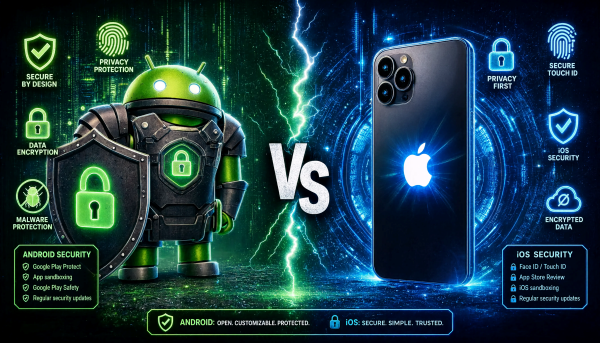
[DigitalToday reporter Jinju Hong (홍진주)] Both Android and iOS offer a range of features for smartphone security, but they show clear differences in how broadly they allow external apps, how they respond to theft and how they approach personal data protection. Experts advise that actual security depends less on the operating system itself than on which features users turn on.
Tech site TechRadar reported on June 4 that Apple and Google each have protection features to respond to malware, account takeovers, and device loss and theft. Their security philosophies and default design approaches differ significantly.
For online account protection, both sides provide basic defences. Apple accounts and Google accounts support two-factor authentication, and password manager functions are built into the operating systems.
They differ in how they protect internet traffic. Google Pixel smartphones offer their own VPN function, but it is not included on most Android devices. The iPhone, meanwhile, offers iCloud+ subscribers a Private Relay function instead of a general VPN function. Both platforms allow installation of separate VPN apps.
In blocking malicious apps, iOS maintains a relatively closed structure. Android checks for malicious behaviour before and after app installation through Google Play Protect, and also performs additional checks on apps downloaded from external stores.
Apple, by contrast, centres its approach on App Store review and an automatic malware detection system. Because Android allows external app stores and APK file installation, users have wider choices but security risks can also increase. The iPhone restricts external app installation except in some parts of the European Union.
Privacy protection features also differ. Both operating systems offer controls for permissions such as location information and photo access, but Apple is more proactive in blocking ad tracking. When installing new apps, the iPhone directly asks whether to allow ad tracking, and users can manage tracking permissions by app. Android offers similar functions by deleting or resetting the advertising identifier.
Physical security features also vary by manufacturer. For example, Samsung Electronics' Galaxy S26 Ultra offers a Privacy Display function that makes the screen difficult to view from an angle rather than head-on, but this is not an Android-wide feature. App hiding, by contrast, is supported on both the iPhone and many Android devices. Hidden apps do not appear on the home screen and generally require biometric or PIN authentication to access.
On app locking, the iPhone is seen as a step ahead. Even without hiding an app, the iPhone can require Face ID or Touch ID authentication when launching individual apps. Some Android manufacturers offer similar functions, but it is not yet included in Google's base Android.
The area being strengthened most recently is anti-theft response. With its Stolen Device Protection function, Apple requires biometric authentication when someone tries to change sensitive settings or check passwords in an unfamiliar location. It also applies delays of up to 1 hour for some key tasks, designed to prevent account takeovers immediately after theft.
Android has also introduced a Theft Protection function that automatically locks the screen when the device suddenly moves or usage patterns change abnormally. Additional protective measures also activate when authentication failures are repeated or when the device switches to an offline state.
Post-loss responses are relatively similar. Apple can track a device's location through Find My, and Google through Find Hub. Both platforms offer remote locking and remote wiping, and support settings that hide notification contents on the lock screen.
Experts say that differences in security ultimately depend more on how people use devices than on the operating system itself. iOS has a structure that isolates apps in a sandbox to restrict system access, while Android offers broader choice and openness but leaves more areas for users to manage themselves.
TechRadar said, "No matter which operating system you use, enabling two-factor authentication, checking app permissions, strengthening lock settings and activating anti-theft functions are the most important security measures," adding that consistently managing basic security settings is key to protecting smartphones.
 Jinju Hong
hongjj@d-today.co.kr
Jinju Hong
hongjj@d-today.co.kr