
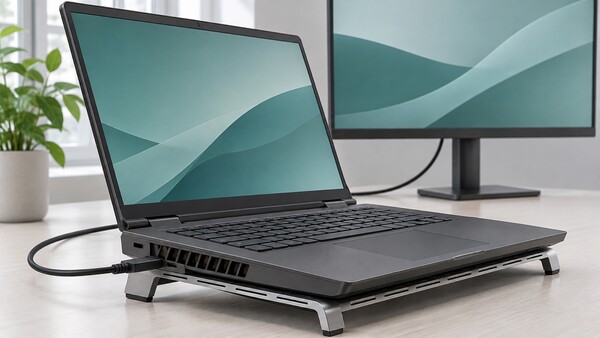
When using a laptop connected to an external monitor, which is better: leaving the lid open or closed? Closing the lid is better for desk space and power use, but laptops that run hot may see reduced cooling performance, so caution is needed.
On Nov. 8, IT outlet Engadget reported that the difference from opening or closing a laptop lid is generally not large, but the best way to use it varies depending on the product’s cooling design and workload intensity.
Closing the lid reduces the space the laptop takes up, helping keep a desk tidy. With the built-in display off, screen power consumption falls, and it can also prevent dust from building up on the keyboard and screen. Leaving the lid open, by contrast, makes it convenient to use the laptop screen as a secondary monitor for handling multiple tasks at once.
The most important variable is heat. Some laptops are designed to exhaust heat or draw in air around the keyboard. On such models, closing the lid can restrict airflow and raise internal temperatures. Heat management is especially important for gaming laptops or workstations with high-performance processors and graphics cards.
Low-power laptops, including the fanless MacBook Air, can be used relatively stably even with the lid closed. Still, if you run high-load tasks for long periods, it is safer to check the manufacturer’s recommended conditions for use.
Some gaming laptop makers advise leaving the lid open to improve cooling efficiency. If vents are blocked when the lid is closed, performance drops or overheating can occur.
If you plan to use it closed, you should also check operating system settings. In Windows 11, you can use Power Options in the Control Panel to prevent the system from switching to sleep mode when the lid is closed. For a MacBook, you must connect an external monitor, keyboard and mouse, and meet the power-supply requirements.
Using a laptop stand to secure ventilation space under the device can also help. But a cooling pad alone cannot fully solve heat issues when the lid is closed.
A docking station can also be useful when using an external monitor and peripherals together. It can simplify cable connections while organizing a workspace efficiently.
Light tasks such as document writing or web searches generally pose less of a problem even with the lid closed. For high-load work such as gaming and video rendering, it is better to open the lid and ensure sufficient ventilation.
 Choi Jae-won
ittt_0801@d-today.co.kr