
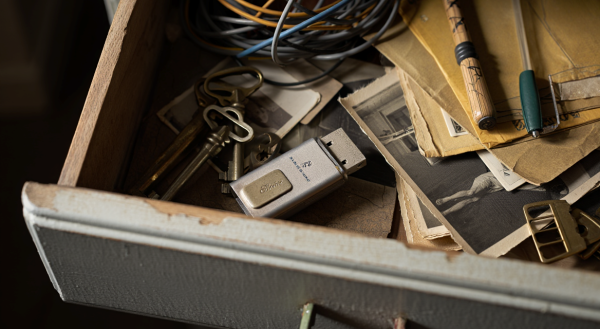
Deleting files alone is not enough when disposing of or recycling an old USB drive. Because deleted data can be recovered, additional measures such as formatting are needed. If there are no plans to use it again, physically destroying it is the safest option.
Engadget reported on Aug. 10 that even when a computer cannot recognize a USB drive and it is difficult to delete data directly, physical destruction can reduce the risk of information leaks.
Homes and offices often have USB memory sticks that are no longer used because they are slow or have small capacity. A common mistake when clearing them out is deleting only the files and then discarding the device as is. Typical file deletion only changes the storage space so new data can be written, and the original data does not disappear completely.
If a USB drive ends up in someone else’s hands, deleted files may be revived using recovery software. If the device stored sensitive materials such as tax-related documents or copies of identification cards, the risk of personal information leaks also increases.
For a USB drive that will be reused, a "full format" was presented as a safer method. A full format takes longer than a quick format, but it checks for bad sectors and overwrites existing data, making recovery difficult. If a USB drive is to be reused continuously, this procedure can serve as a basic security measure.
If there are no plans to use a USB drive again, physically destroying it is described as the most certain choice. If a computer cannot recognize the drive and the data cannot be deleted or formatted, physical destruction can be a practical alternative.
Specific disposal guidance was also presented. Cornell University’s IT security guide recommends overwriting data three times for drives that work normally and can be reused, and physically destroying devices to be discarded. This means the handling method should differ depending on whether the device works properly and whether it will be used in the future.
A security risk does not disappear just because a drive is old or has a small capacity. Even if its practical value is lower, documents and personal information left inside can be recovered. When clearing out old USB drives, it is necessary to consider formatting or physical destruction depending on whether they will be reused.
The key point is that how stored data is handled matters more than the hardware’s condition. Depending on whether it will be reused, appropriate steps such as a full format or physical destruction are needed to reduce the risk of personal information leaks.
 Yoonseo Lee
yslee@d-today.co.kr
Yoonseo Lee
yslee@d-today.co.kr