
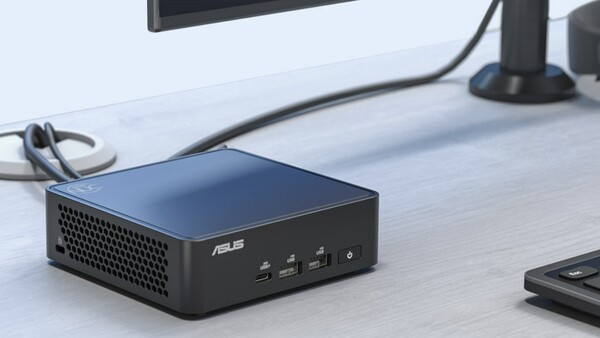
An analysis says people choosing a home office computer should consider their need to move it and the actual cost of buying it before focusing on the form factor of a mini PC or a laptop.
Engadget reported on Oct. 5 that a mini PC can take up less desk space because of its small size and help create a tidy work environment centred on a monitor, keyboard and mouse. A laptop can offer a similar setup if connected to an external monitor and peripherals. A USB-C or Thunderbolt dock can connect a display, wired network, keyboard and mouse, and power with a single cable.
Performance is hard to judge by form factor alone. Many mini PCs use laptop components. Some mini PC models support Intel's Core Ultra 7 265H mobile processor. Even with the same CPU, sustained performance can vary depending on cooling design, firmware and manufacturer-set power limits.
Expandability can be an advantage for mini PCs. Some models support up to 2 SO-DIMM memory slots and 2 M.2 SSD slots, making upgrades easier than on some thin laptops with memory soldered to the board. Depending on the configuration, RAM or an SSD may not be included, so buyers should not assume a lower price just by looking at the bare-bones cost. Adding the required parts and an operating system can significantly narrow the price gap.
Graphics performance is similar. Integrated graphics are enough for email, documents, video calls and web browsing, but for GPU-heavy work such as video editing or 3D tasks, a mini PC is not necessarily faster than a laptop.
The biggest difference is mobility. A laptop can be connected to a dock at home and used like a desktop, then carried out as needed. If the PC is rarely moved and a monitor and peripherals are already available, a mini PC may be more reasonable because it does not require spending on a display, battery or keyboard. The analysis says a laptop is better for frequent movement, while a mini PC has the advantage in a fixed work environment.
 Jae-won Choi
ittt_0801@d-today.co.kr
Jae-won Choi
ittt_0801@d-today.co.kr