
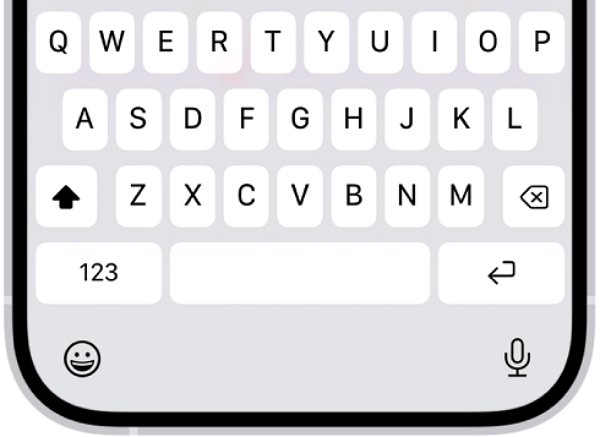
If you often type long prompts into generative artificial intelligence (AI) services such as ChatGPT on an iPhone, changing a few keyboard settings can reduce typos and inconvenience. Options include turning off Autocomplete, resetting the keyboard dictionary and registering frequently used sentences in Text Replacement.
TechRadar reported on Aug. 18 that some default iPhone keyboard features are useful for general text entry but can instead get in the way when writing specific AI prompts.
The first feature to check is Autocomplete. It suggests the next word or phrase based on what the user has typed, the context and usual typing patterns. Suggestions appear in grey text above the keyboard or in the sentence being typed, and can be applied while pressing the space bar.
Even if Autocomplete is disabled, Autocorrect can still be used. Because the two features operate separately, basic typo and spelling corrections remain. If you often type long prompts, you can turn off only the unnecessary feature.
Another option is to reset the keyboard dictionary. The iPhone learns names and technical terms the user types frequently, and the longer it is used, the more typos or wrongly applied corrections can accumulate and affect Autocorrect and word suggestions.
You can reset the keyboard dictionary by going to Settings, then General, then Transfer or Reset iPhone, then Reset, then Reset Keyboard Dictionary. Care is needed to avoid confusing it with the option to reset the entire iPhone.
If you have many prompts you use repeatedly, Text Replacement can also be useful. It automatically converts a short word or abbreviation into a longer sentence you have registered in advance, reducing the hassle of typing the same AI instructions or phrases each time. The feature is available under Settings, then General, then Keyboard, then Text Replacement.
When editing long prompts, the space bar cursor-movement feature can also help. Press and hold the space bar to turn the keyboard into a trackpad, allowing you to move the cursor precisely to the desired position by sliding your finger. The longer the sentence, the more useful it is for editing specific words or phrases.
As the use of generative AI increases, smartphone keyboards are increasingly used not only for short messages but also for writing long sentences. Some auto-input features that were once convenient can become a hindrance depending on how they are used, so if you often write AI prompts, adjusting keyboard settings to match your typing habits is one option.
 Yoonseo Lee
yslee@d-today.co.kr
Yoonseo Lee
yslee@d-today.co.kr