
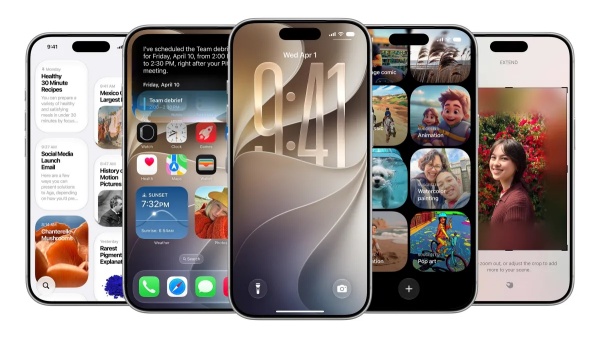
[DigitalToday reporter Jinju Hong (홍진주)] Apple put next-generation Siri AI front and center at its Worldwide Developers Conference (WWDC) 2026, but iOS 27 appears to include various convenience features that were not introduced in detail on stage.
TechCrunch reported on June 9 that iOS 27 focuses on improving iPhone users' everyday experience rather than a full interface overhaul or major changes. Siri AI drew attention as the core WWDC announcement, but the operating system adds many smaller upgrades designed to improve usability.
One of the most noticeable changes is to home screen widgets. Users can place items such as news or calendar widgets in a full-screen format, making key information easier to check at a glance.
Sound settings have also been broken down in more detail. Alarm, timer, notification and system sounds, previously grouped under a single volume setting, can now be adjusted separately. Users can turn off the "Match ringtone volume" option in settings and adjust levels directly to their preference.
Copy-and-paste has also been improved. When users copy text, images or screenshots, a paste button automatically appears above the keyboard. Apple said this simplifies moving content between apps.
The Weather app has also been updated. It adds a "Highlights" section that shows key weather changes over the next few days at a glance, and lets users switch more quickly between information such as conditions, precipitation and wind speed.
In the Messages app, users can choose whether the voice recording button and dictation button are displayed. A new sketch feature has also been added, allowing users to draw handwriting or simple diagrams and send them to others.
The Camera app also improves accessibility. The interface has been reorganised so controls such as depth adjustment, grid display and the level function are more easily accessible.
Other changes include the addition of a scroll bar to the emoji keyboard, and a new slider-style interface for the Control Center timer. Users can stop sharing their Find My location with certain users for a set period without notifying them, and the Wallet app lets users create custom passes directly.
CarPlay also adds an audio scrubbing feature. This allows users to navigate podcasts and other audio content more precisely.
Cloud sync has also been strengthened. Users can now manually sync files, photos and health data to iCloud, and the Calendar app supports a feature that automatically recognises public holidays and asks whether to keep existing alerts.
Industry watchers say the iOS 27 update focuses on making tasks users repeat every day easier and more convenient, rather than competing on flashy new features.
Siri AI drew the most attention on the WWDC stage, but user satisfaction could be shaped by these detailed improvements hidden throughout the operating system, analysts say.
 Jinju Hong (홍진주)
hongjj@d-today.co.kr
Jinju Hong (홍진주)
hongjj@d-today.co.kr