
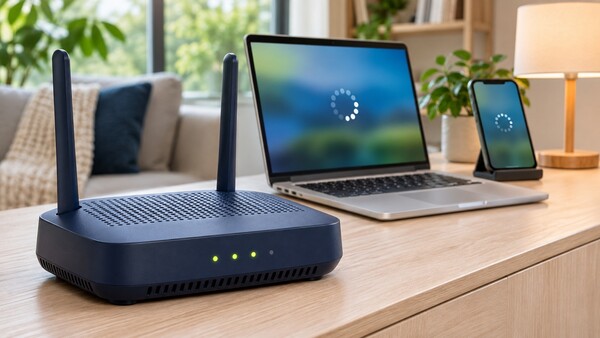
A weak Wi-Fi signal does not necessarily mean a router is faulty or there is a problem with an internet service provider (ISP), an analysis said.
On Nov. 16, IT outlet Engadget said the most common reason for poor home internet quality is router placement, and that changing the installation location alone can alter perceived performance.
The key is to place the router in an open space near the centre of the home. Wi-Fi signals spread in all directions but weaken with distance. If the router is pushed into a room corner or placed close to a wall, much of the signal can leak outside the home or go in unnecessary directions. Keeping it too close to electronic devices can also degrade quality.
In apartments or single-storey homes, it is better to place the router near the centre, with few nearby objects, on a desk or cabinet above floor level. If the router is put inside a closed cabinet or placed in a corner of the home, the signal can be blocked or dispersed outside, reducing communication efficiency.
In duplex or two-storey layouts, signal transmission between floors must also be considered. If the router is on the first floor, it is better to place it closer to the ceiling. If it is on the second floor, it is better to place it closer to the floor.
Antenna direction also matters. In single-storey layouts or apartments, a vertical antenna setup is suitable. In buildings with multiple floors, it is better to tilt at least 1 antenna by about 30 degrees.
If changing the setup, it is better to run speed tests. Measure current performance before moving the router, then adjust the location little by little and measure again in the same way. This allows comparisons of how each location affects signal quality and internet speed.
It is also important to avoid objects or devices that interfere with Wi-Fi signals. Metal objects and thick walls, especially metal or concrete walls, can weaken signals. Bluetooth devices and microwave ovens can also affect communications on the 2.4 GHz band, so it is better to keep them at a distance from the router.
The 2.4 GHz band reaches farther but is relatively slower, while the 5 GHz band has a shorter range but is faster. The report recommended connecting devices where speed and stability matter, such as desktop computers or game consoles, to 5 GHz near the router. It recommended connecting devices that are farther away or frequently moved to 2.4 GHz.
Even after adjusting the router's location, some areas may remain out of range. It can be difficult to cover all spaces with a single router, especially in large areas or buildings with 3 or more floors. In that case, a Wi-Fi extender can be considered as an alternative.
A Wi-Fi extender is a device that receives an existing signal and relays it to the surrounding area. It is relatively inexpensive and easy to install, but depending on how it operates, bandwidth can be reduced to about half. It should be installed where the existing router signal is strong enough and coverage can be expanded.
Wi-Fi quality depends not only on carrier service or equipment performance but also heavily on layout and interference management. Even with the same equipment, perceived performance can change based on installation location and band allocation.
 Yoonseo Lee
yslee@d-today.co.kr